February 28, 2026 • Amp AI Team
How We Built an MCP Server to Manage a Shopping Cart With AI
A step-by-step guide to building a custom MCP server that lets Claude AI manage your Ocado grocery shopping cart — no coding required. Built with Claude Code and deployed to Google Cloud Run.
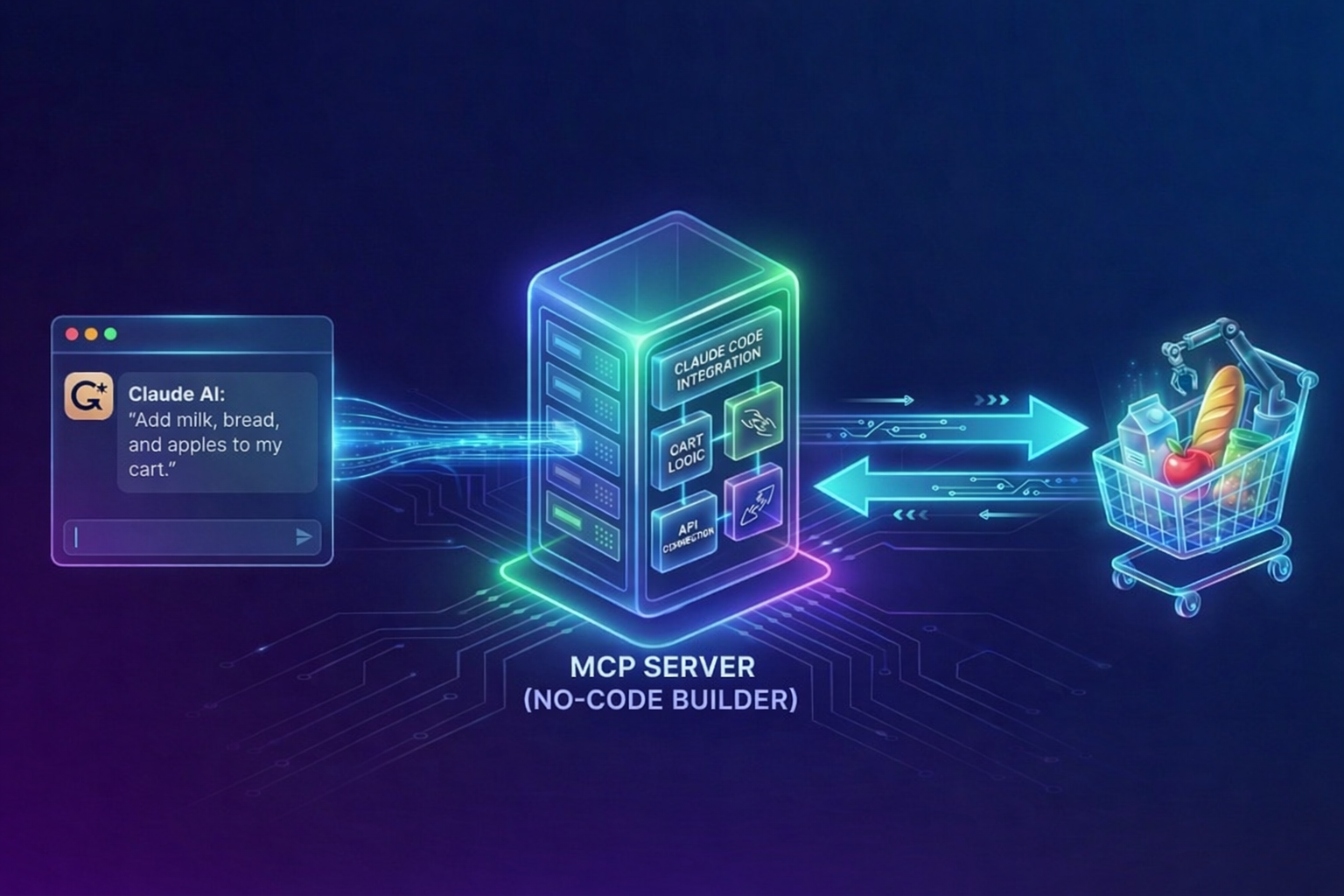
Ever wished you could just tell an AI to add eggs, milk, and cheese to your grocery cart? We built exactly that — a custom MCP server that lets Claude manage an Ocado shopping cart, and we did it without writing a single line of code by hand.
Here is how we did it, what tools we used, and how you can build your own.
What Is an MCP Server and Why Does It Matter?
MCP (Model Context Protocol) is an open standard created by Anthropic that allows AI models like Claude to interact with external tools and services. Think of it as a universal adapter that lets AI talk to any application — reading data, triggering actions, and managing workflows on your behalf.
While AI assistants like Claude and ChatGPT can browse the web and interact with pages, that approach is slow and unreliable. MCP provides a structured, API-driven alternative that is faster and far more dependable.
The problem? Most websites and services have not released official MCP connectors yet. That is where building your own comes in.
What We Built
Our goal was simple: tell Claude on our phone "add eggs, milk, and high protein cheese to Ocado cart" and have it just work. The AI should be smart enough to match items to our usual preferences — organic eggs, our regular milk, the specific cheese we always buy — without us having to spell out exact product names.
To make this work, the MCP server needed to:
- Access our past orders so it knows what we usually buy
- Search for products on Ocado
- Add and remove items from the shopping cart
Tools We Used
- Claude Code — Anthropic's AI coding agent that did the heavy lifting of building the server
- Claude Chrome Extension — allowed Claude Code to inspect the Ocado website and understand its APIs
- Google Cloud Run — where we deployed the finished MCP server
- Cline with MiniMax 2.5 — used for certain parts to save on Anthropic credits
All source code is available on GitHub at ampai-uk/llm-shopping-cart.
Step-by-Step: How We Built It
Step 1: Reverse-Engineering the Ocado APIs
Instead of scraping web pages, we asked Claude Code to use the Chrome extension to figure out how Ocado's website communicates with its backend. Claude inspected the network requests and identified the REST and GraphQL APIs that Ocado uses for:
- Retrieving order history
- Searching for products
- Adding and removing items from the cart
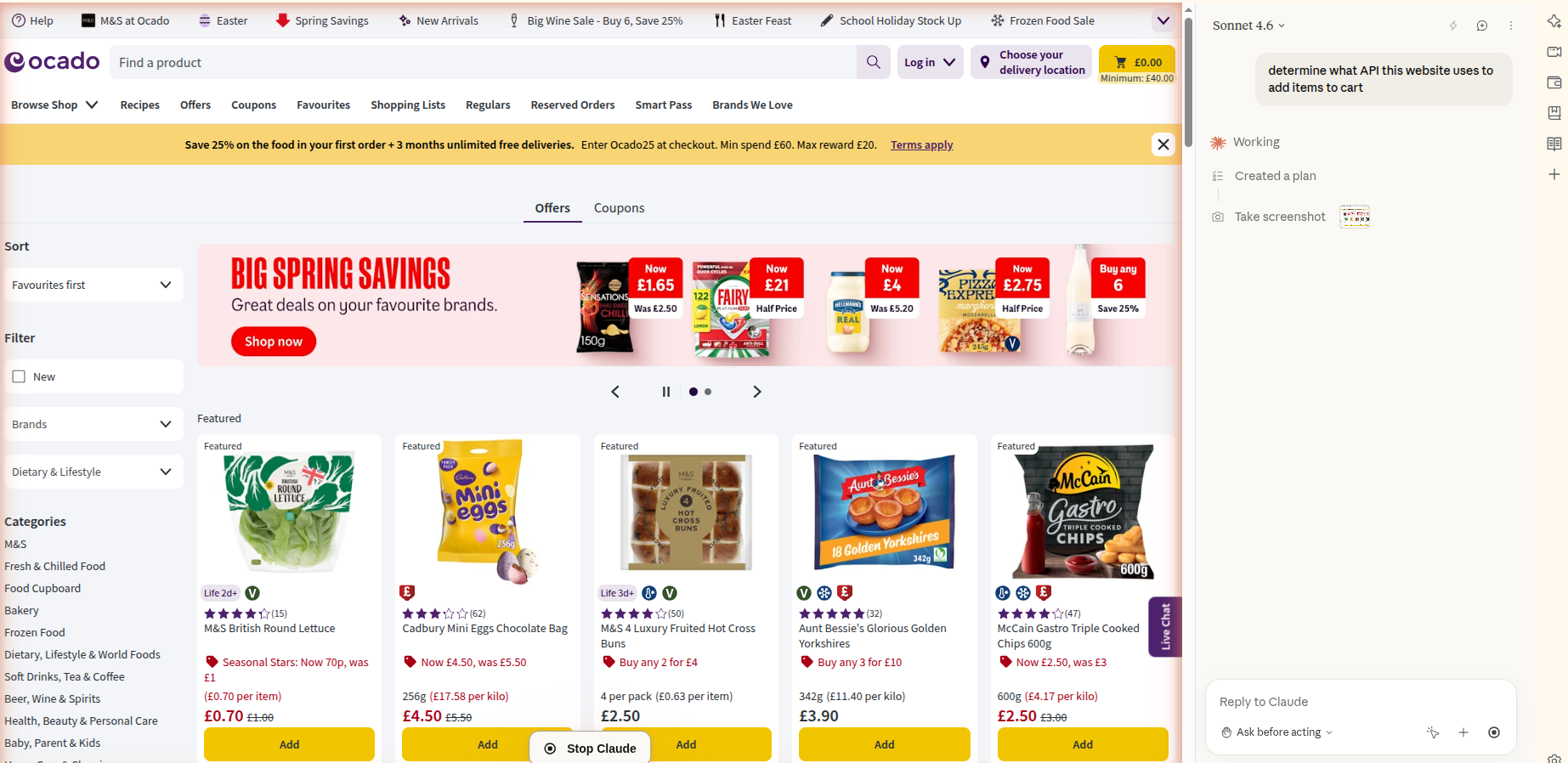
Claude Code then implemented functions to download past orders, save them to a JSON file, and manage the shopping cart — all without us writing any code manually.
Step 2: Handling Authentication
Since the MCP server runs in the cloud, it needs to act on behalf of the user. Claude implemented a flow where:
- The user authenticates once in their browser
- Session cookies are saved and uploaded to the cloud service
- The server uses those cookies for subsequent requests
Important security note: Session cookies grant full access to your account. If exposed, someone could act on your behalf. Be extremely careful with how you store and transmit these credentials. We recommend rotating them regularly and restricting access to the cloud service.
Step 3: Deploying to Google Cloud Run
We used Claude Code to handle the entire deployment process. It installed the Google Cloud CLI, configured the project, and deployed the service. We only had to help with two things:
- Logging in to Google Cloud (interactive authentication)
- Linking billing to the Google Cloud project (Claude provided the direct link)
We were impressed by Claude's ability to manage the full deployment pipeline autonomously.
Step 4: Connecting the MCP Server to Claude
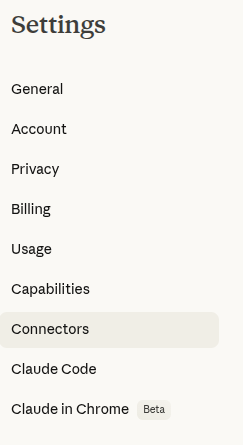
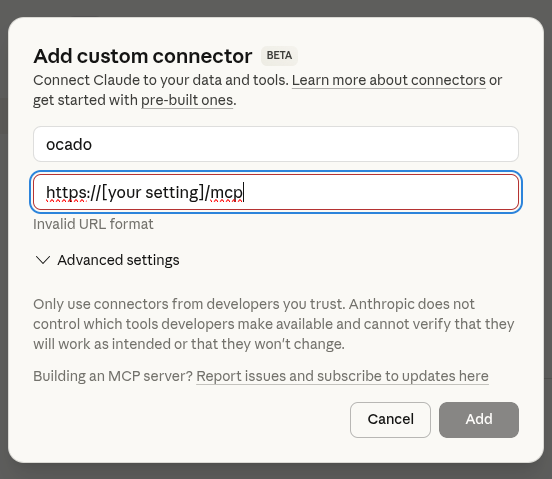
With the server deployed, we connected it to Claude as a custom connector. In Claude's settings, navigate to Connectors and add a custom connector with your server's URL.
Step 5: Using It
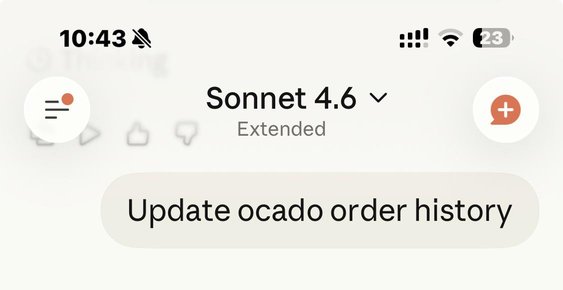
First, we tell Claude to update the order history so it knows our preferences:
Then we simply ask Claude to add items to our cart:
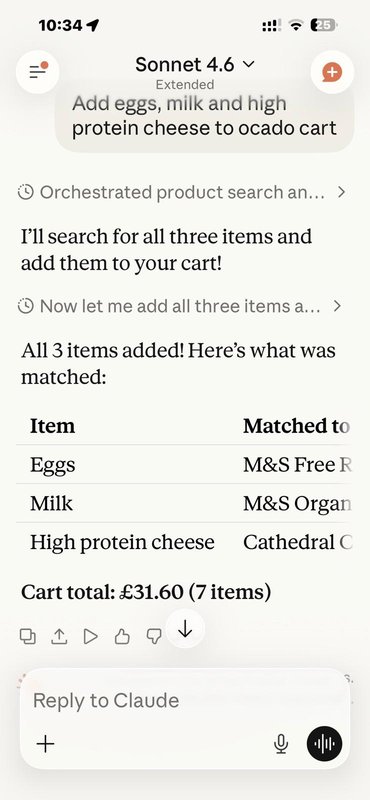
It worked. Claude matched "eggs" to our usual M&S Free Range eggs, "milk" to M&S Organic milk, and "high protein cheese" to Cathedral City — all based on our order history.
What You Need to Know Before Building Your Own
Building a custom MCP server with Claude Code does not require traditional coding skills, but it does require:
- Technical comfort — you need to understand concepts like APIs, authentication, and cloud deployment
- A Claude Pro or Team subscription — for access to Claude Code and extended thinking
- A cloud hosting account — Google Cloud Run, AWS, or similar
- Patience for debugging — AI-generated code sometimes needs a few iterations to get right
What Could Go Wrong
- API changes — if the website updates its APIs, your connector will break and need updating
- Authentication expiry — session cookies expire, requiring periodic re-authentication
- Rate limiting — making too many API calls too quickly could get your account flagged
- Security risks — mishandling authentication tokens could compromise your account
Frequently Asked Questions
Can I build an MCP server for websites other than Ocado?
Yes. The same approach works for any website with underlying APIs. Claude Code can inspect any site via the Chrome extension and reverse-engineer the API calls needed. Popular candidates include other grocery services, e-commerce platforms, and booking sites.
Do I need to know how to code?
Not in the traditional sense. Claude Code writes all the code for you. However, you do need enough technical understanding to guide the process — knowing what an API is, how cloud deployment works, and how to troubleshoot when something does not work as expected.
Is this approach secure?
It requires careful handling of authentication credentials. Session cookies stored in the cloud give full access to your account. Use encrypted storage, restrict access to your cloud service, and rotate credentials regularly.
How much does it cost to run?
Google Cloud Run charges based on usage. For personal grocery shopping (a few API calls per week), costs are negligible — typically under $1 per month. The main cost is the Claude subscription for building and using the server.
Will this still work as AI tools improve?
AI coding tools like Claude Code and OpenAI Codex are improving rapidly. Tasks that require technical guidance today will likely become fully automated in the near future. Meanwhile, more websites are also releasing official MCP connectors, which may eventually replace custom-built ones.
Wrapping Up
Building a custom MCP server is a practical example of how AI can automate everyday tasks that were previously tedious. The combination of Claude Code for development and MCP for structured AI-to-service communication makes it possible to build these integrations without traditional software development.
The technology is still maturing — it requires technical know-how today, but that barrier is dropping fast as tools like Claude Code continue to improve.
If you are looking to build custom AI integrations for your business, whether it is managing shopping carts, automating workflows, or connecting internal tools, the Amp AI team can help. Get in touch to discuss your project.